
Before you start
CaVeSal® Obstetric Emergencies is a clinical decision-support tool for the emergency room and the delivery suite. It is organized in four large tabs: I have an emergency, Codes (Code Red, Code HDP, Code Yellow — Sepsis and Obstetric Code Blue), Labor and postpartum (including thromboprophylaxis) and Result, which summarizes the diagnosis and management. It also includes the Patients section, a hands-free voice mode, Guide Mode with summarized guidelines and a case simulator.
The patient's common data are entered only once in the top bar and are copied automatically to every module. Each card shows its source at the bottom and, when more than one well-supported guideline exists, a selector to choose the criterion.
Everything is calculated on your device. Once installed, the app works offline and does not send patient data to servers.
Demo and full version
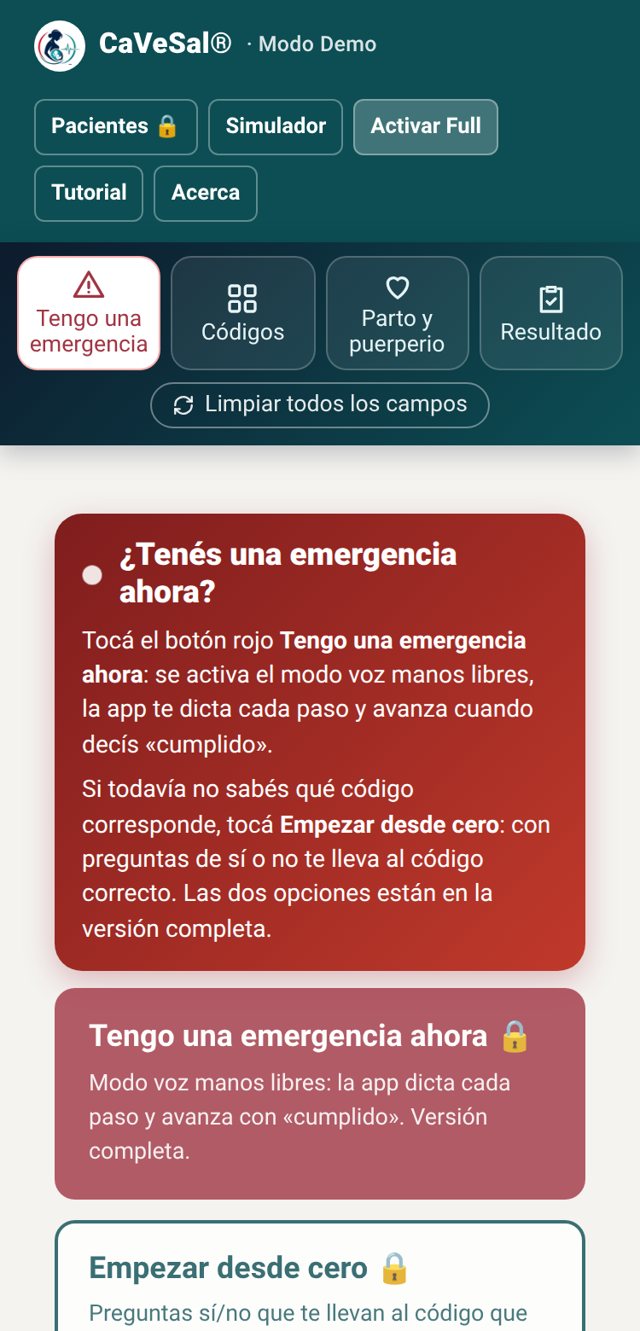
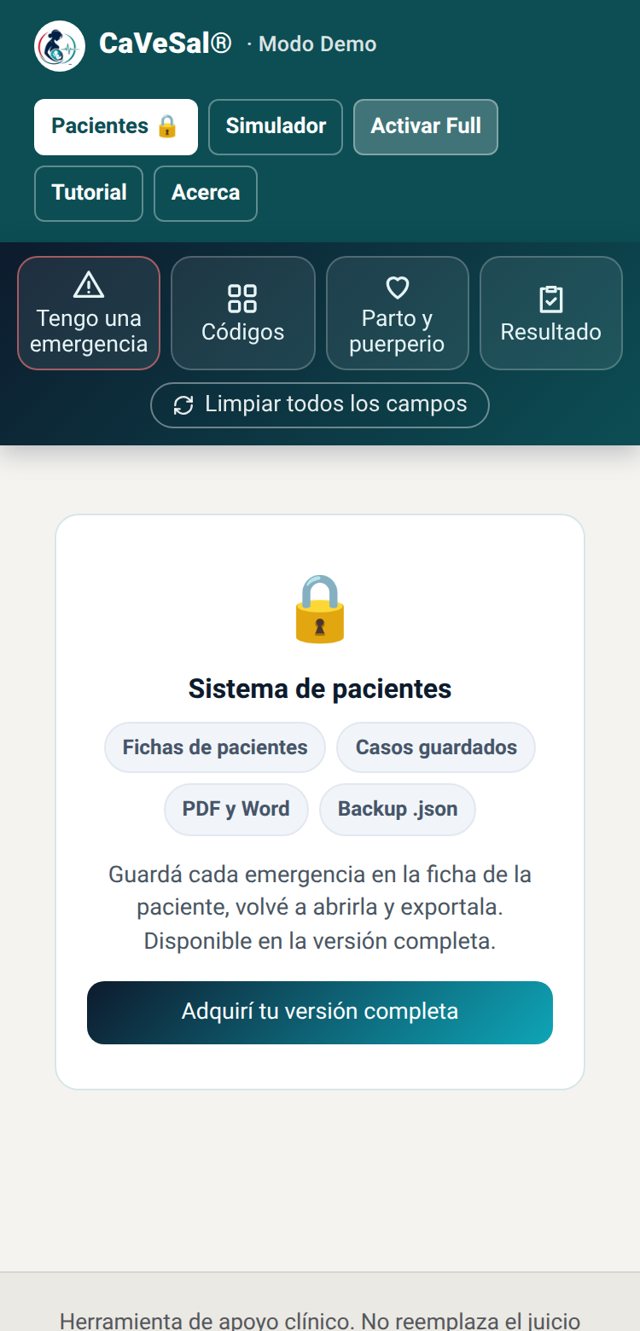
Free demo (cavesal.app/cavesal-emergencias/demo/): shock index, MAP and BMI, one-off qSOFA, a static version of the Obstetric Alert Scale (single entry, no follow-up), the simulator, the preloaded examples and the on-screen Result (no saving or exporting). Everything in the full version is shown with a lock 🔒 so you know it exists, including Patients 🔒.
Full version (cavesal.app/cavesal-emergencias/full/): adds the complete Code Red, Code HDP, bleeding and coagulation, sepsis with California Criteria, SIRS and MEOWS, Obstetric Code Blue, thromboprophylaxis, labor and postpartum with partographs and Robson, hands-free voice mode, the dynamic Alert Scale with golden-hour clock, Guide Mode, the bridge to CaVeSal® IA, and Patients with saved cases and PDF and Word export.
Install and activate
Get Emergencies alone or in a combo on Gumroad, or by bank transfer at Buy without a card. You receive 1 Emergencies key by email (format XXXX-XXXX-XXXX-XXXX). With combos you also receive the key for each included app.
Open cavesal.app/cavesal-emergencias/full/ on the device where you will use it and install it first: on Android, Chrome menu and "Install app" or "Add to Home screen"; on iPhone, Safari's Share button and "Add to Home Screen".
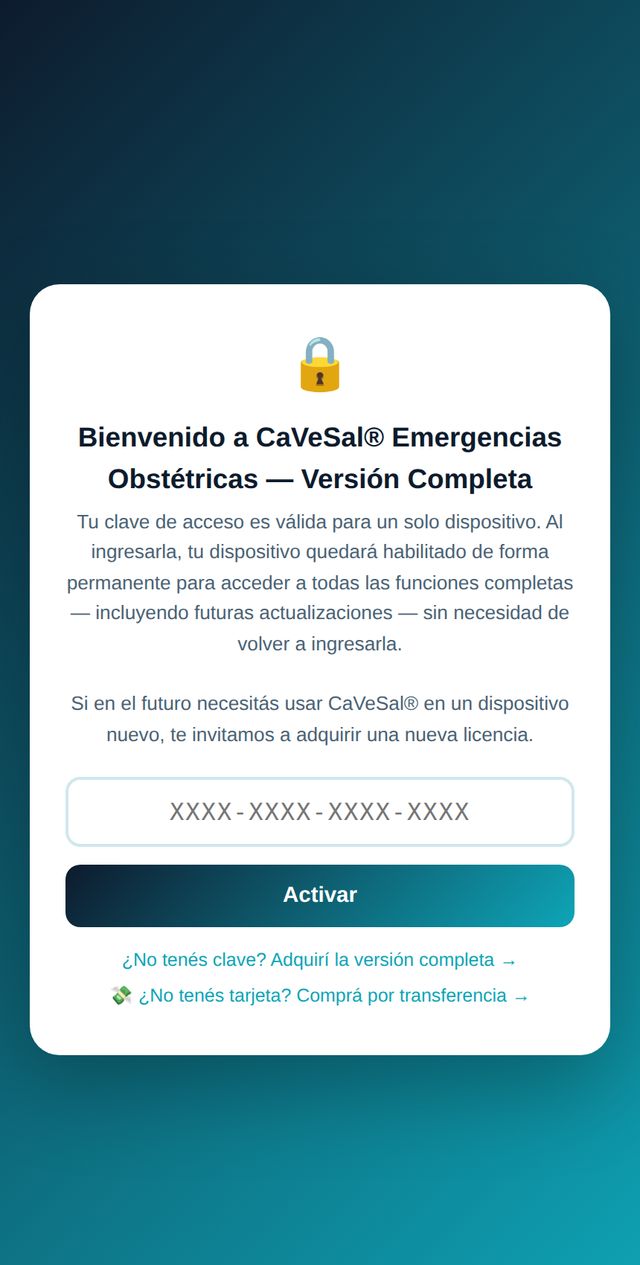
Open CaVeSal® from the installed icon, paste your key and tap Activar (Activate).
Done: it stays permanently enabled on that device, with updates included.
How the app is organized
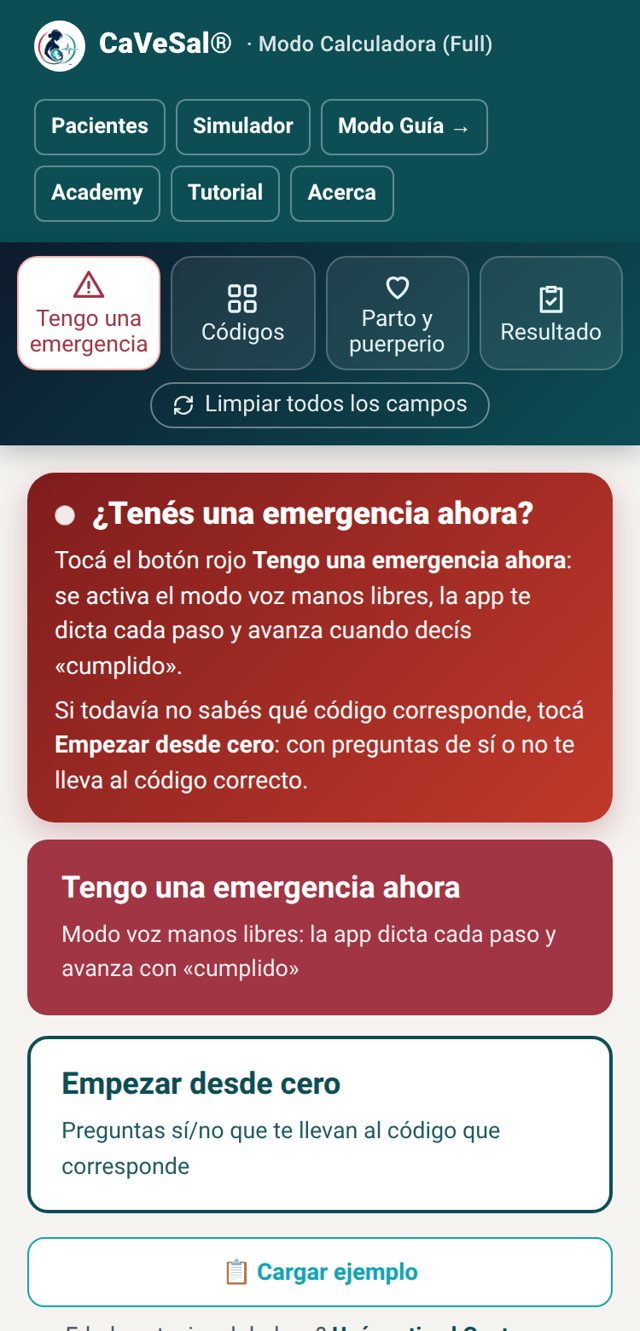
The app always opens on I have an emergency, because an emergency calls for a fast answer. The small buttons are at the top; below them, the four large tabs, the Calculate button and Clear all fields, which stay fixed while you scroll.
Calculate and Clear all fields
- Calculate (orange button): appears in Codes and in Labor and postpartum. It takes you to Result with a summary of everything you entered. It does not appear in I have an emergency, Result or Patients, because there is nothing to calculate there.
- Clear all fields (small button below): available on every tab. It asks for confirmation, erases everything entered, leaves the Result empty and releases the patient chosen for that emergency. Records saved in Patients are not deleted.
I have an emergency
The first tab. At the top, a red notice explains how to activate the emergency with voice mode; below it, quick entry, Load example, the patient data bar and the Obstetric Alert Scale.
Quick entry: emergency now or start from scratch
- I have an emergency now: choose the code (Red, HDP, Yellow or Obstetric Blue) and voice mode opens, reading each step aloud and moving on when you say “done”. See Voice mode.
- Start from scratch: yes/no questions that lead you to the right code when it is still unclear what is happening.
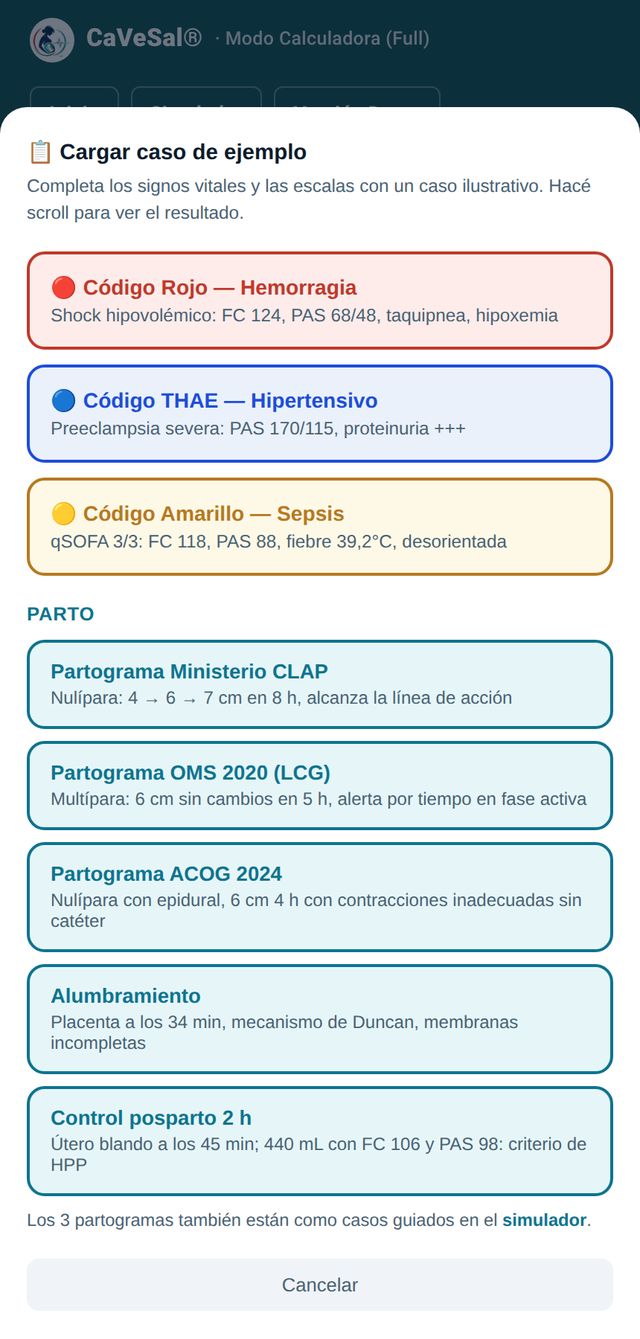
Load example Also in the demo
Loads an illustrative case to see how each module responds: Code Red (hypovolemic shock), Code HDP (severe preeclampsia), Code Yellow (sepsis), the three partographs, third stage of labor and 2-hour postpartum monitoring. Once loaded, the app takes you to Result with the diagnosis and management.
Patient data bar
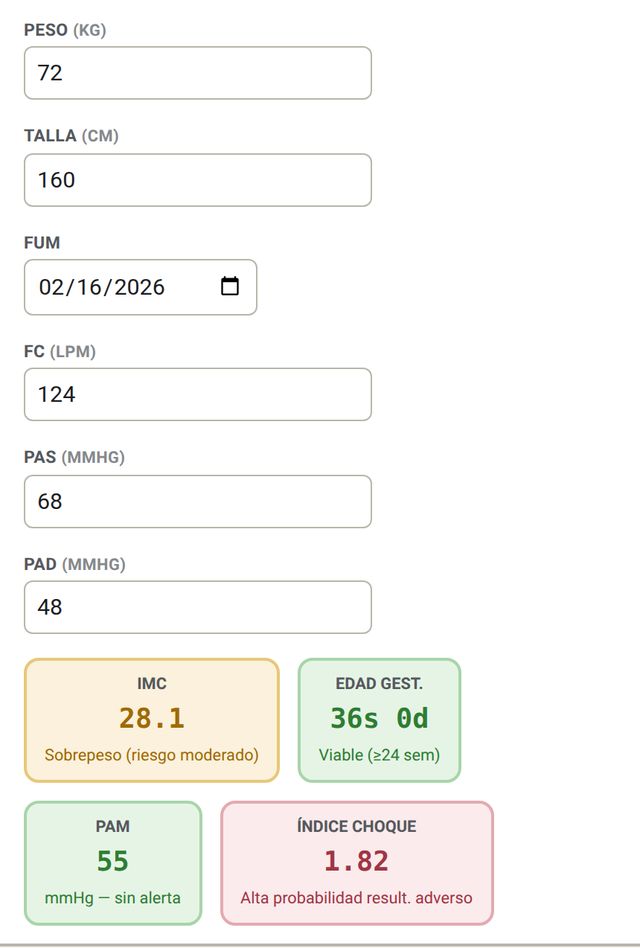
Enter weight, height, LMP, HR, SBP and DBP. The app instantly calculates BMI, gestational age, MAP and shock index, color-coded by threshold. These data are copied to every table unless you edit them in each one.
Codes
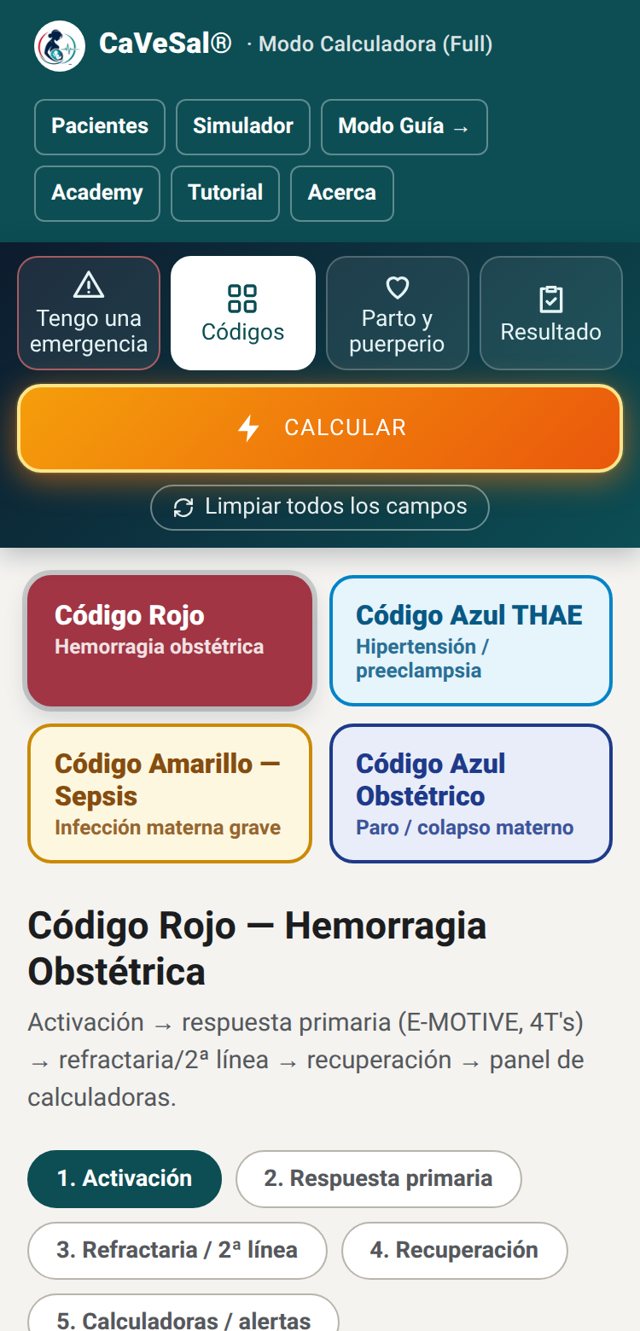
The second tab shows four large buttons: Code Red (obstetric hemorrhage), Code HDP (hypertensive disorders), Code Yellow — Sepsis and Obstetric Code Blue (maternal arrest and collapse). Tap one to open its cards, enter the data and press Calculate.
Code Red — Obstetric hemorrhage Full version
Seven sub-tabs that follow the real sequence of care: activation, primary response, refractory, recovery, calculators, bleeding and coagulation, and bleeding in pregnancy.
1. Activation: shock classification
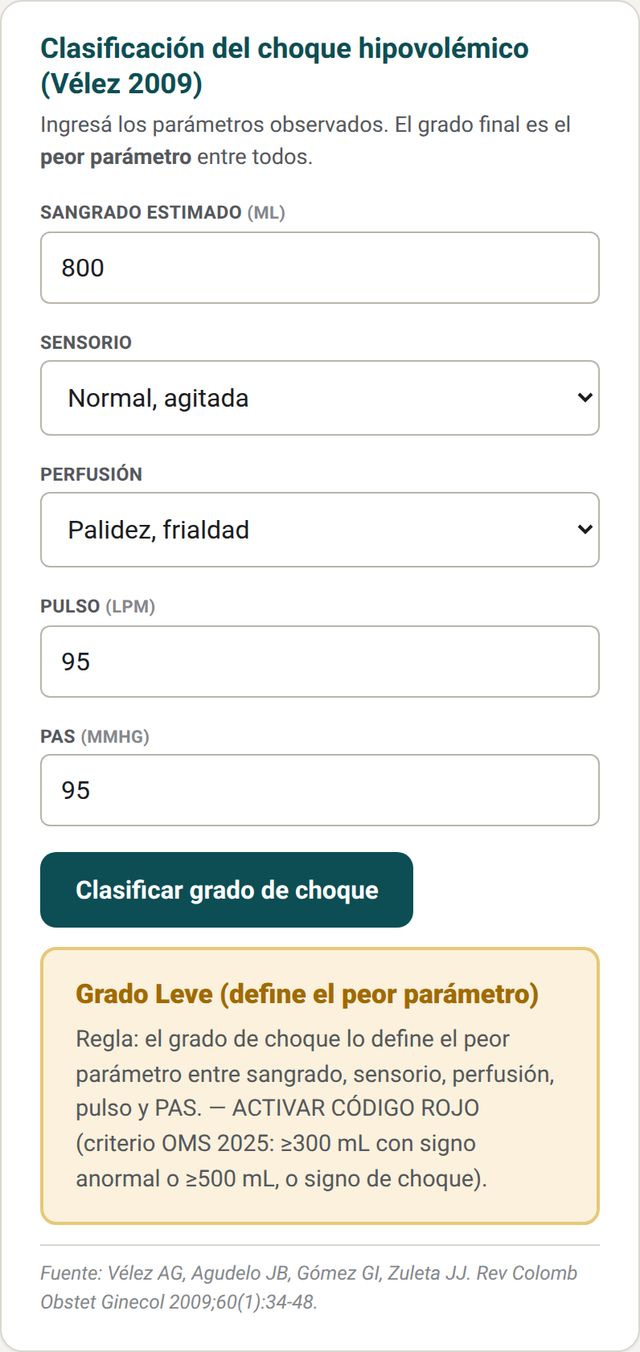
Enter estimated blood loss, mental status, perfusion, pulse and SBP. The degree of shock (Vélez 2009) is defined by the worst parameter, and the card indicates whether Code Red should be activated according to the WHO 2025 criterion.
2. Primary response: E-MOTIVE and 4 Ts
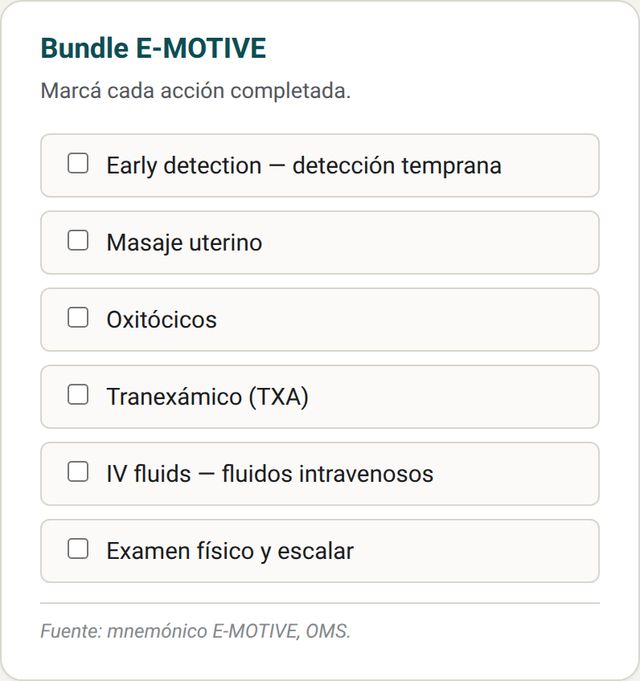
Checklist of the E-MOTIVE bundle (early detection, uterine massage, oxytocics, tranexamic acid, fluids and examination) and cause classification by the 4 Ts (tone, trauma, tissue, thrombin).
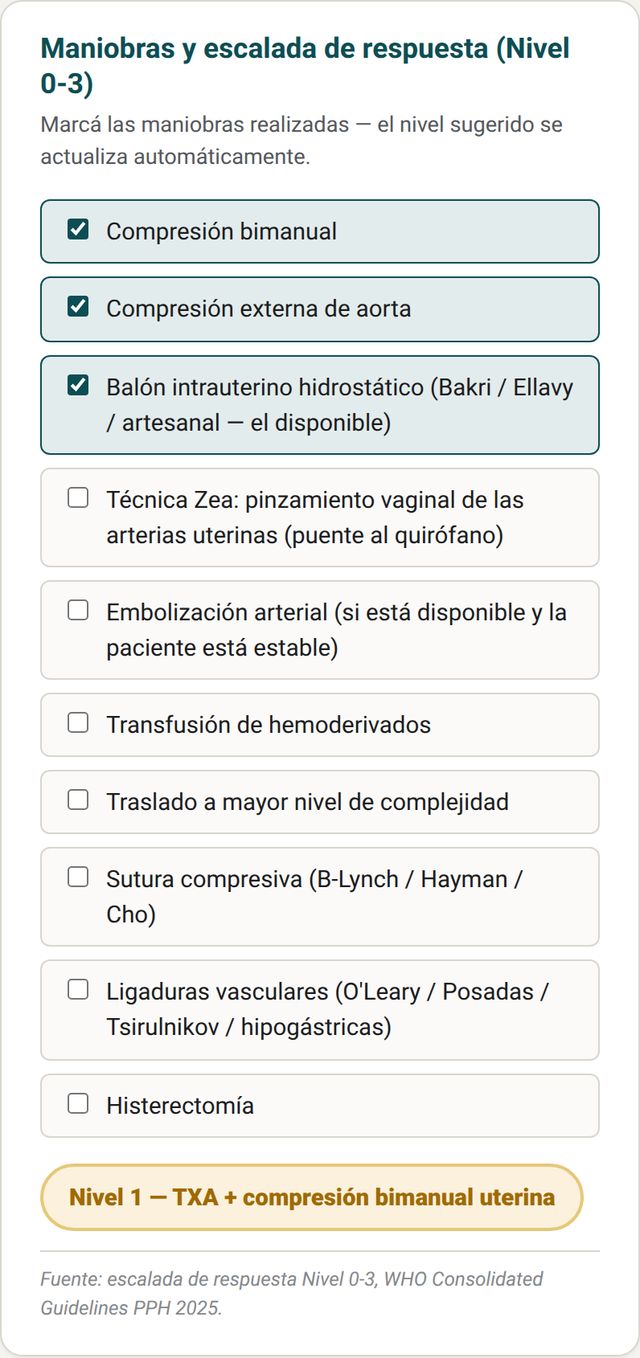
3. Refractory and Level 0-3 escalation
Tick the maneuvers performed and the app suggests the response level: bimanual and aortic compression, intrauterine balloon, Zea technique, embolization, blood products, transfer, compression sutures, vascular ligation (O'Leary, Posadas, Tsirulnikov, hypogastric) and hysterectomy.
5. Calculators and alerts
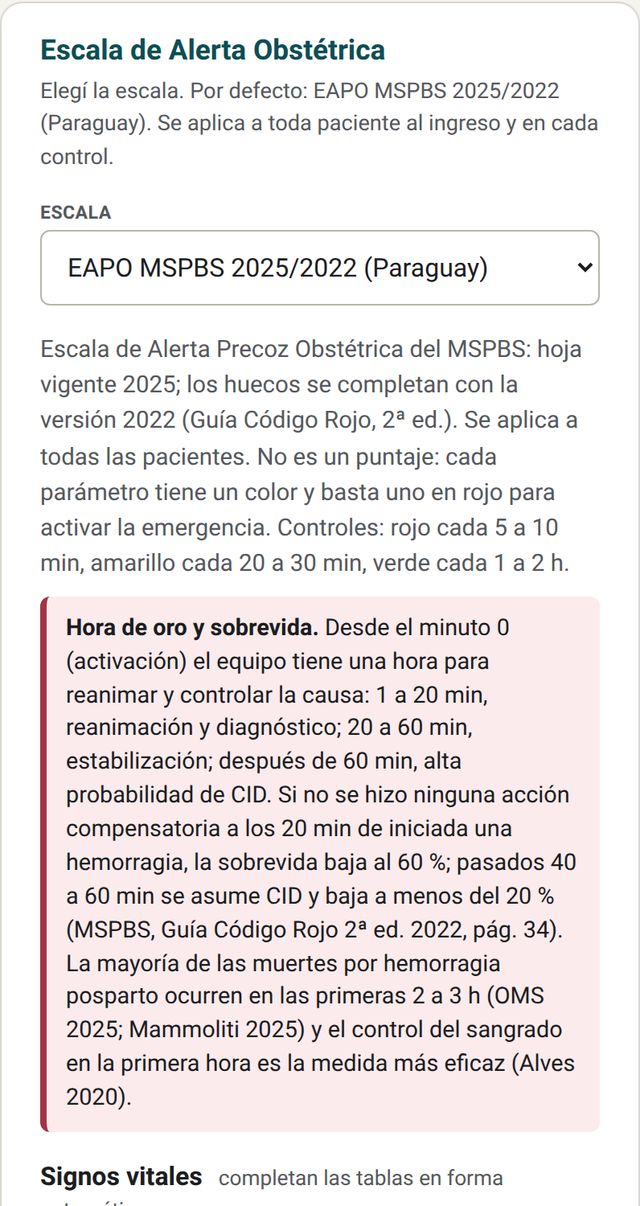
Obstetric Alert Scale: by default EAPO MSPBS 2025/2022, with a scale selector (including the Alerta Obstétrica CaVeSal®). Vital signs are filled in automatically from the top bar, and the card reminds you of the golden hour and the monitoring frequency for each color.
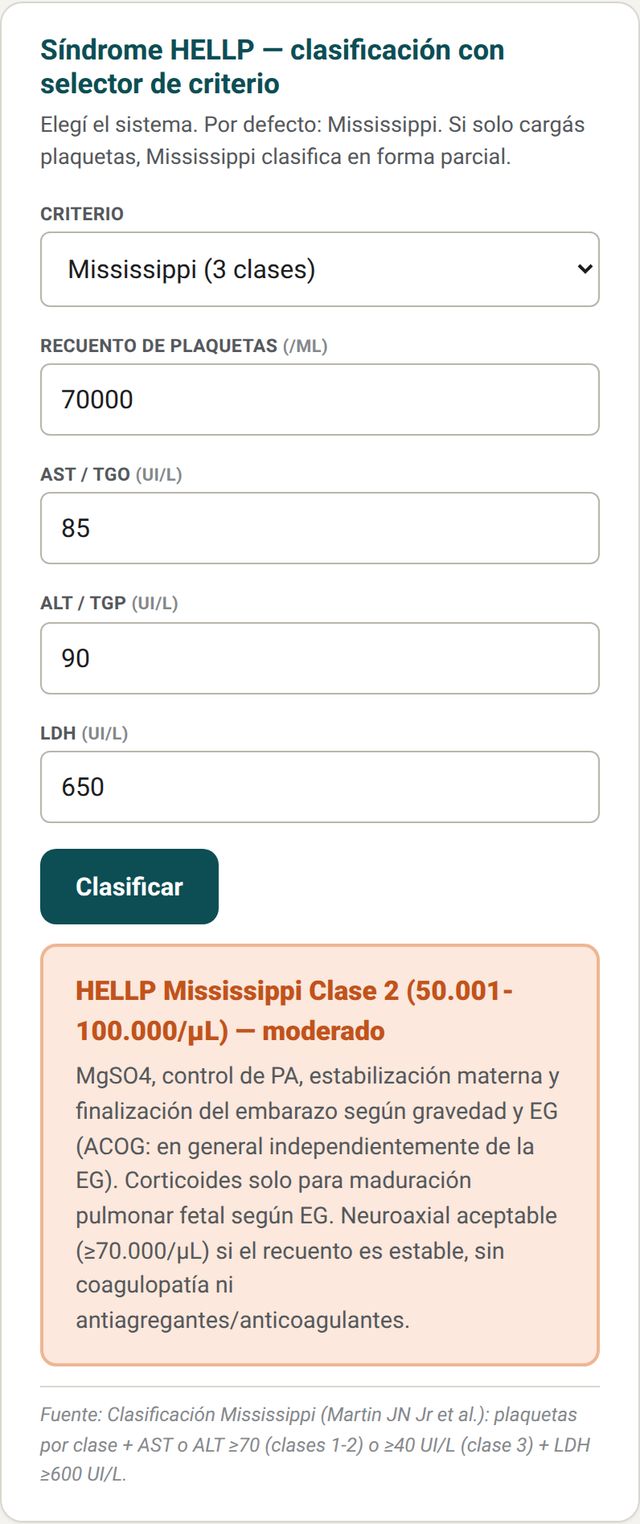
HELLP syndrome: criterion selector (Mississippi by default). With platelets, AST/ALT and LDH it classifies and suggests management.
6. Bleeding and coagulation
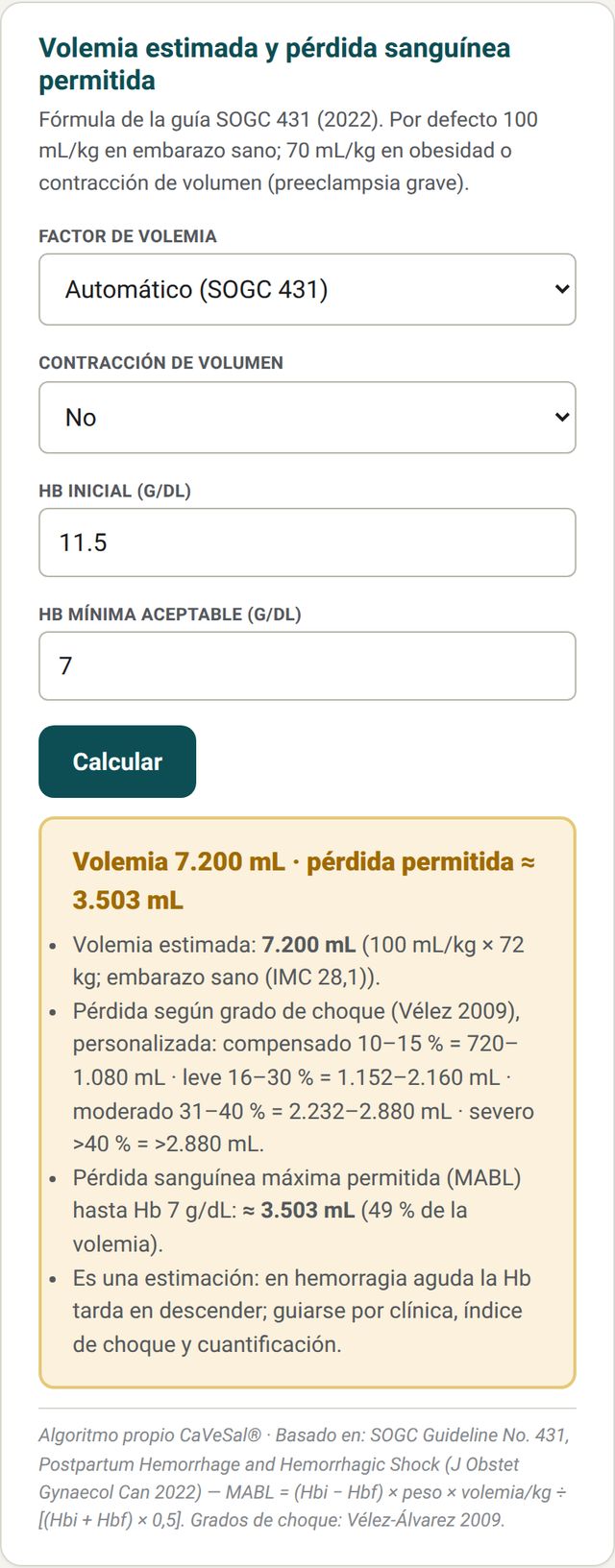
Estimated blood volume and allowable blood loss (with the weight from the top bar), quantification of blood loss (gravimetric and suctioned), laboratory coagulopathy with DIC scores, and ROTEM reading (EXTEM/FIBTEM) with guidance doses.
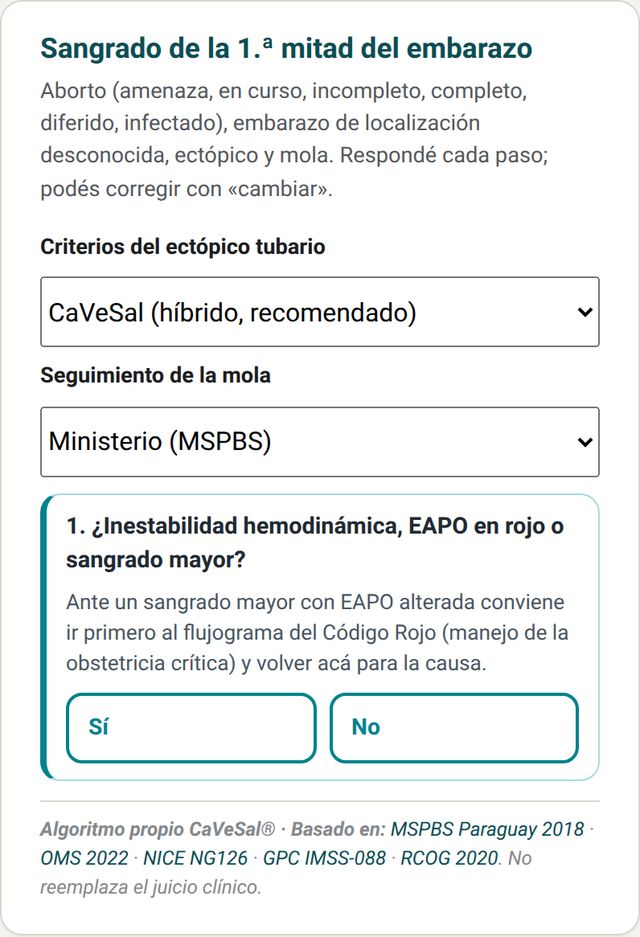
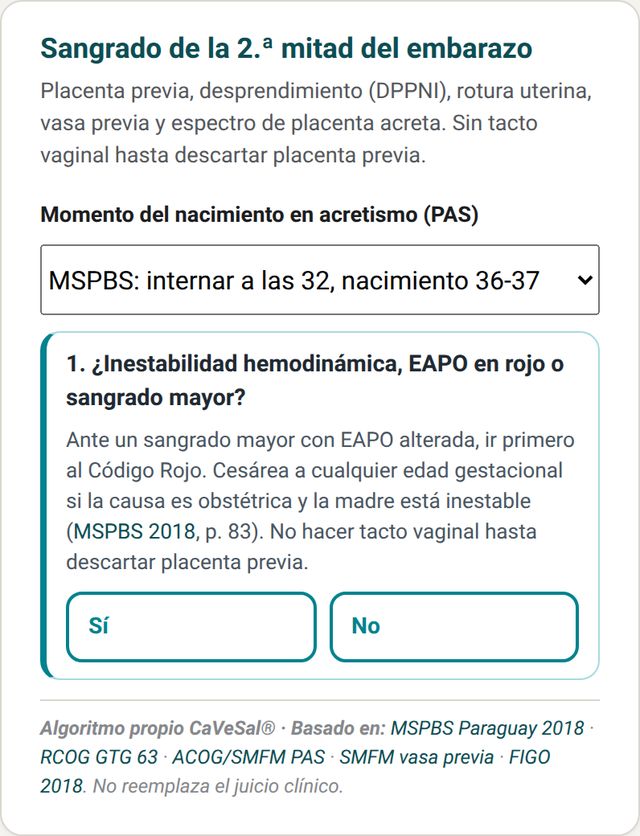
7. Bleeding in the first and second half of pregnancy
Step-by-step flowcharts: you answer each question and the app moves forward; you can correct any answer with «cambiar» (change).
- First half: threatened miscarriage and the forms of miscarriage, pregnancy of unknown location, ectopic (with criteria selector) and molar pregnancy (with follow-up selector).
- Second half: placenta previa, abruption, uterine rupture, vasa previa and placenta accreta spectrum (with timing-of-birth selector).
Code HDP — Hypertensive disorders Full version
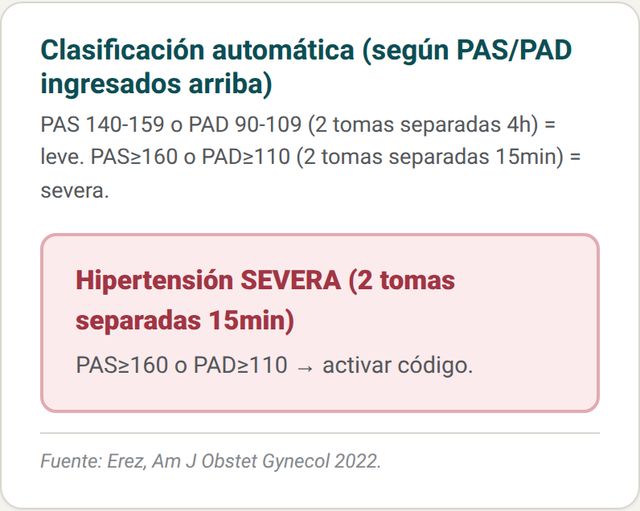
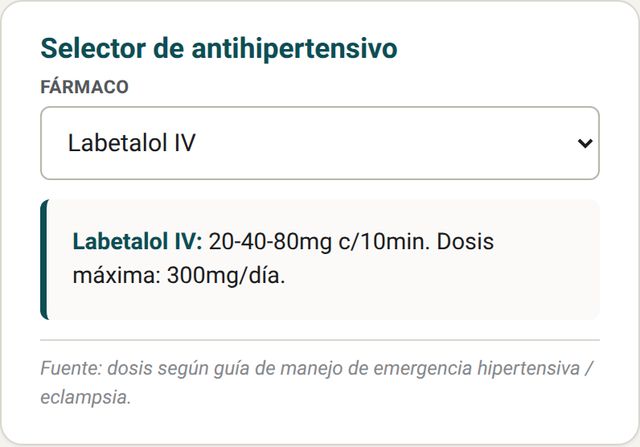
Automatic classification with the BP from the top bar, hemodynamic phenotype (MAP/HR index), target-organ damage and proteinuria, antihypertensive selector, sFlt-1/PlGF ratio, ophthalmic artery Doppler, guided algorithm and eclampsia checklist.
Classification and treatment
With SBP ≥160 or DBP ≥110 the card flags severe hypertension and the indication to activate the code. The antihypertensive selector shows the dose, interval and maximum dose of each drug.
Code Yellow — Maternal sepsis Full version
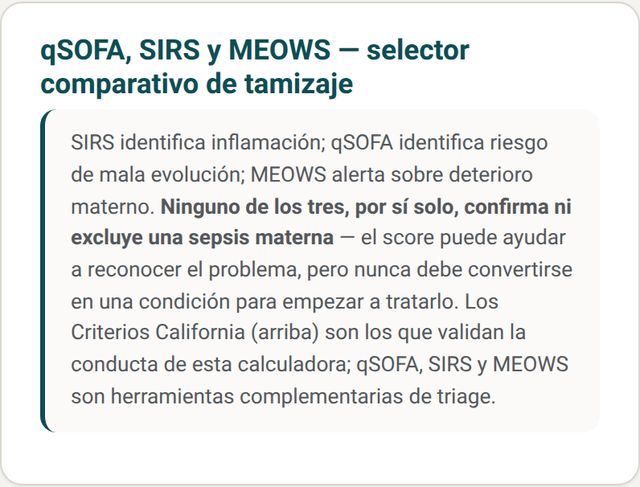
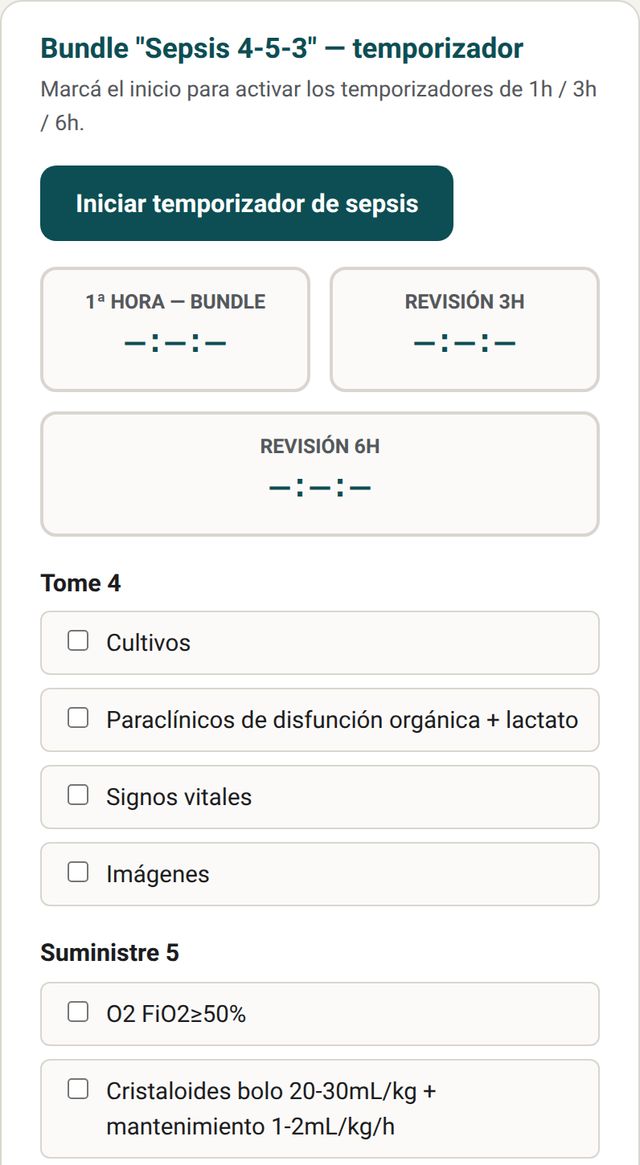
OTAS obstetric triage, California Criteria, comparative screening (qSOFA, SIRS and MEOWS), "Sepsis 4-5-3" bundle with timers and antibiotic regimen by source.
Screening and bundle with timer
No score alone confirms or rules out sepsis: the comparative card makes this clear. The 4-5-3 bundle starts the 1-, 3- and 6-hour timers and tracks the list of what to take, give and consider.
Obstetric Code Blue — Maternal arrest and collapse Full version
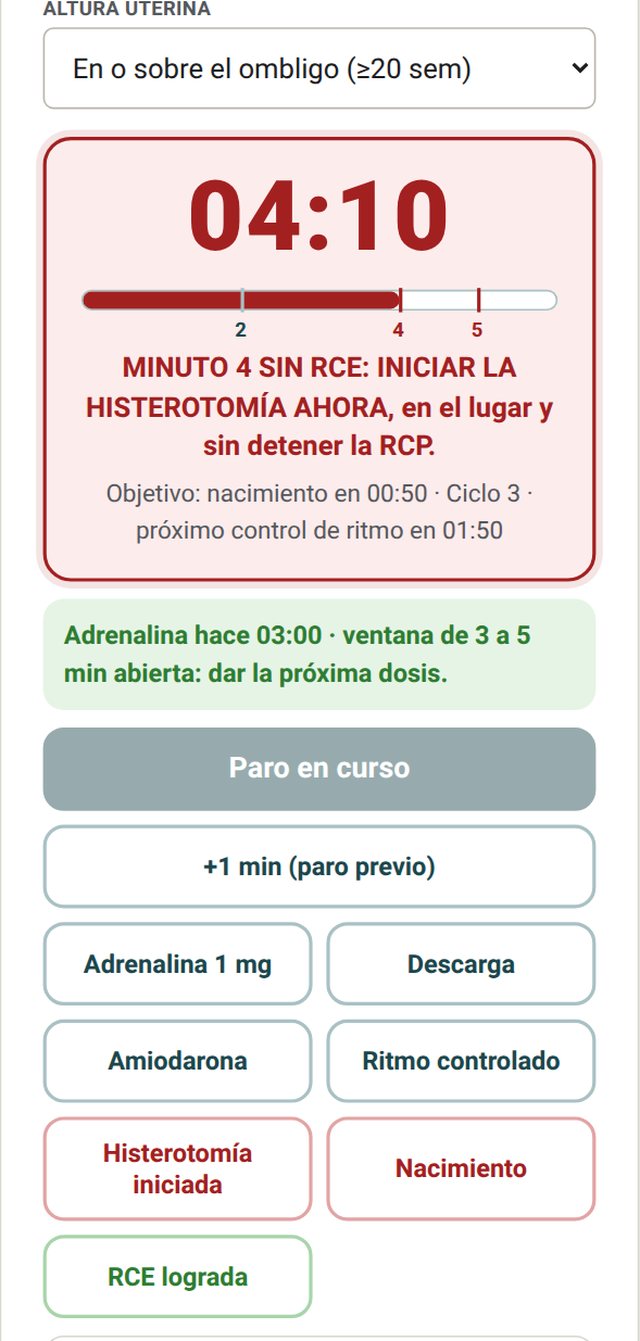
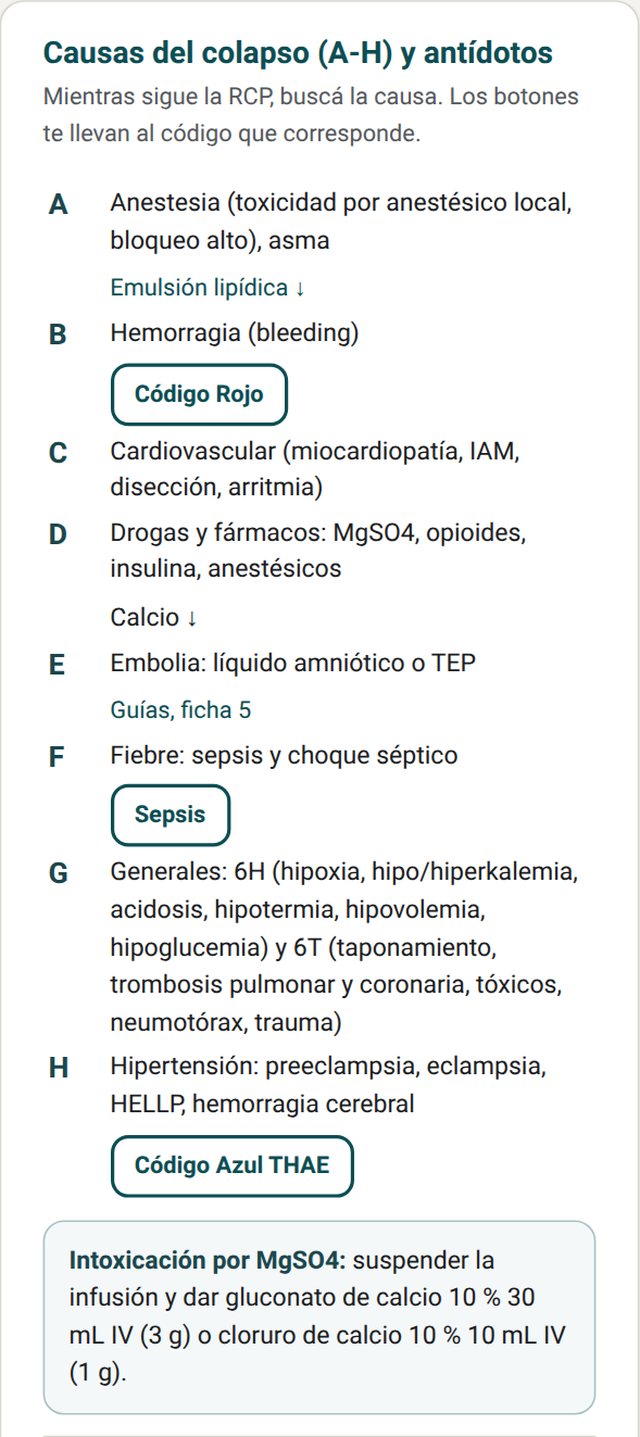
CPR timer with the 4-minute rule, activation checklist, A-H causes with direct access to each code, and weight-based lipid emulsion for local anesthetic toxicity.
Timer and the 4-minute rule
Tap «Iniciar paro» (Start arrest) at recognition. If the arrest was not witnessed, use «+1 min» to add the previous time. Every 2 minutes a rhythm-check alert sounds. At minute 4 without return of circulation the screen turns red and the alarm sounds to start hysterotomy; at minute 5 it marks the delivery target. With fundal height below the umbilicus there is no hysterotomy alarm. Each event (adrenaline, shock, hysterotomy, birth, ROSC) is logged with its time and can be copied into the clinical record. The screen stays on while the clock is running.
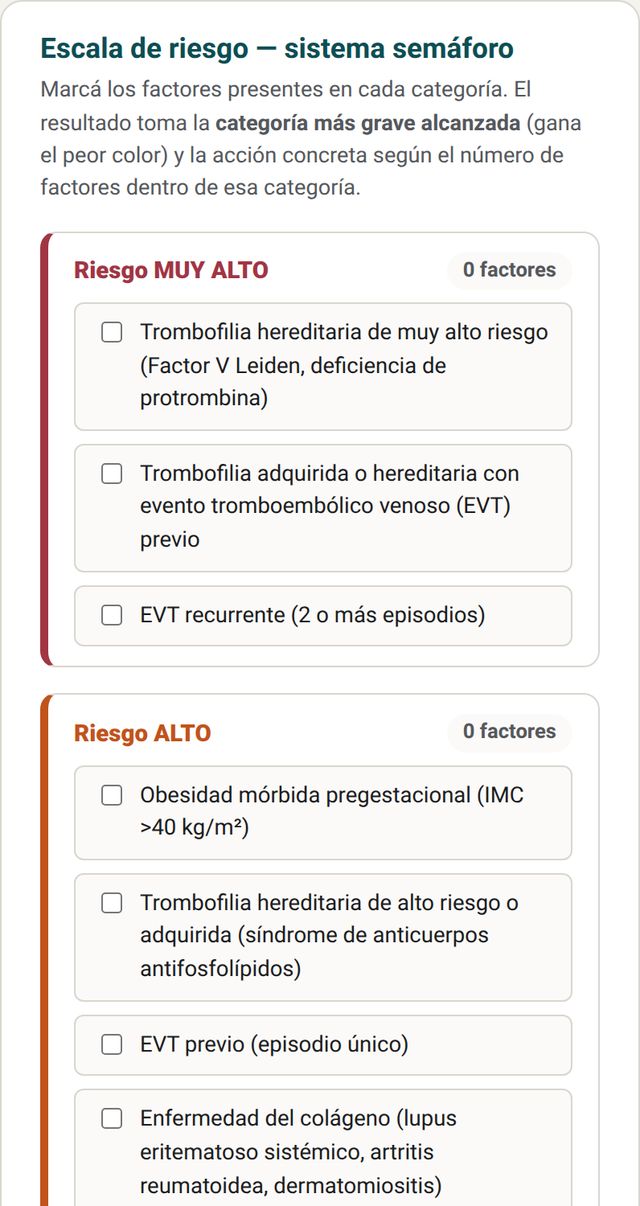
Thromboprophylaxis — traffic-light system Full version
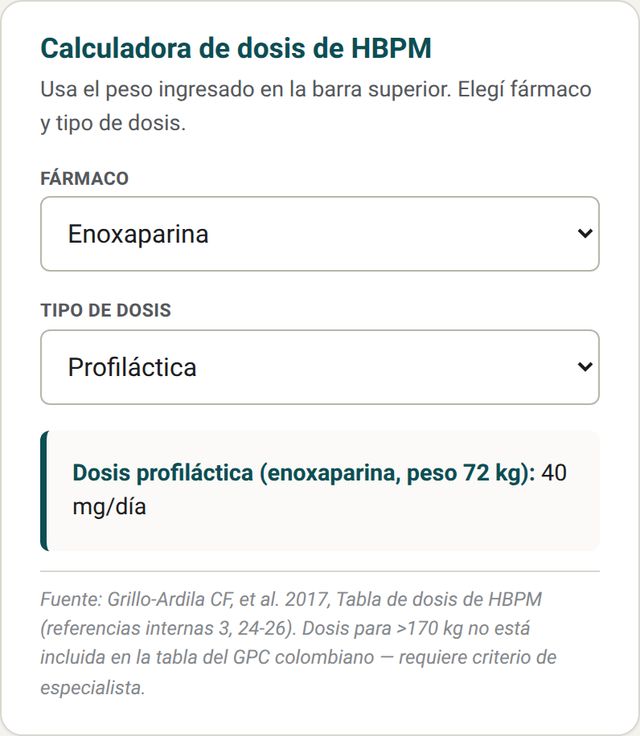
General measures, four-color risk scale and weight-based low-molecular-weight heparin dose calculator. It is inside the Labor and postpartum tab.
Risk and LMWH dose
Tick the factors present. The result takes the most severe category reached and the corresponding action. The dose is calculated with the weight from the top bar and the chosen drug and dose type.
Labor and Postpartum Full version
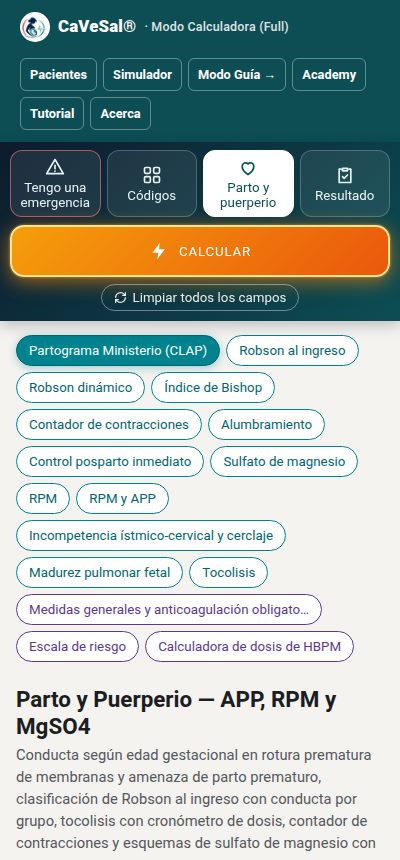
This is the third tab. At the top it has shortcuts to each card, in the order they are used in the delivery room. The first one, highlighted, is Partograma Ministerio (CLAP) (Ministry partograph); then come Robson at admission, dynamic Robson, Bishop score, contraction counter, third stage, postpartum monitoring and magnesium sulfate. Further down are PROM and threatened preterm labor, cervical insufficiency and cerclage, lung maturity, tocolysis and thromboprophylaxis. After entering data, press Calculate.
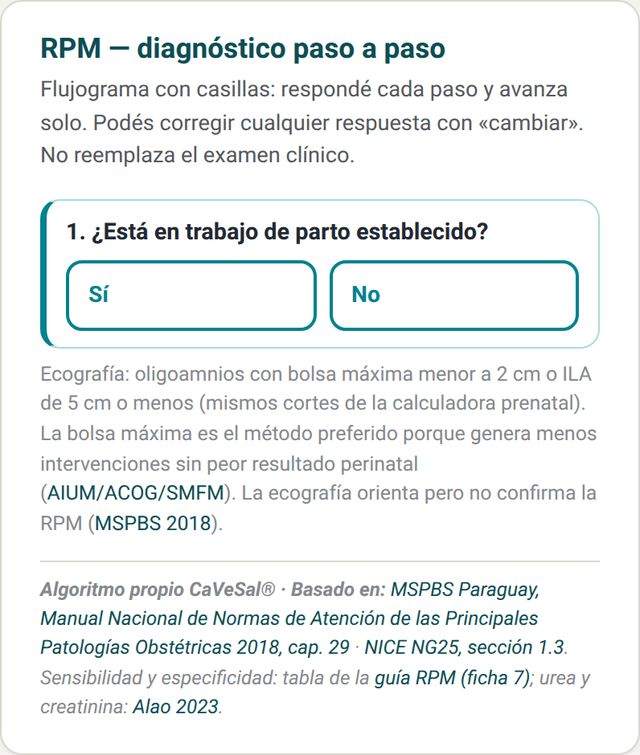
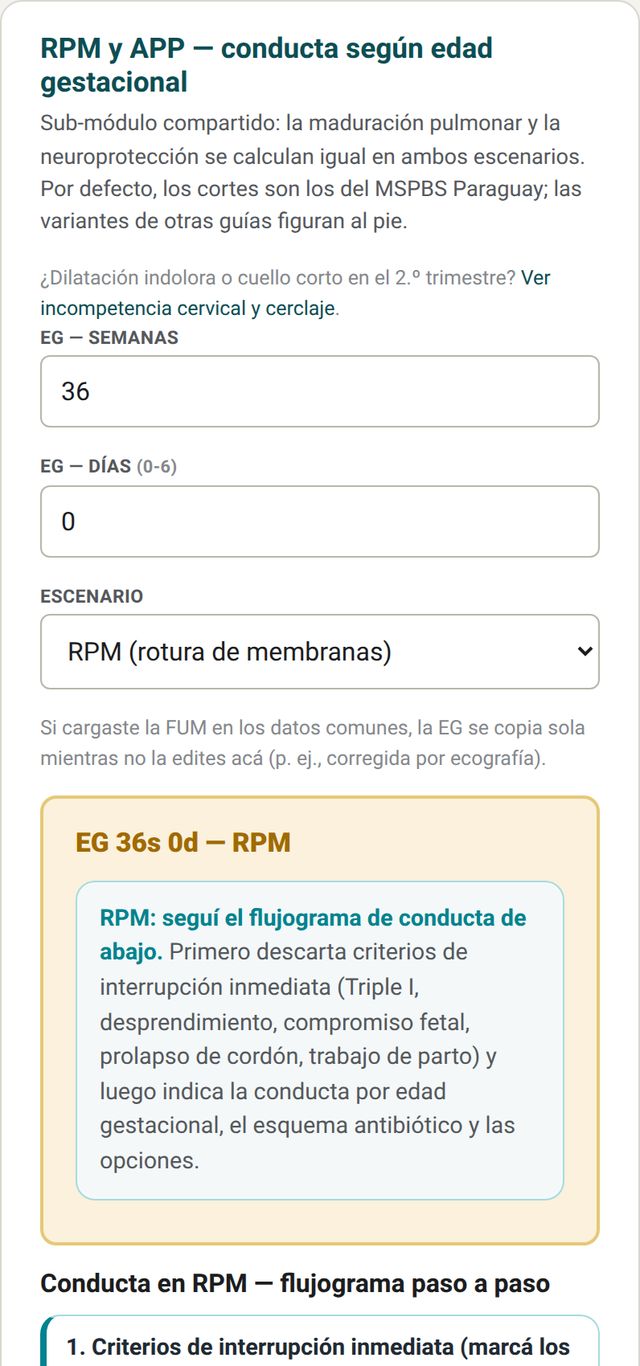
PROM and threatened preterm labor
PROM diagnosis with a checkbox flowchart and management by gestational age. Lung maturation and neuroprotection are calculated the same way in PROM and threatened preterm labor. MSPBS Paraguay cut-offs are used by default; variants from other guidelines appear at the bottom.
Robson classification at admission
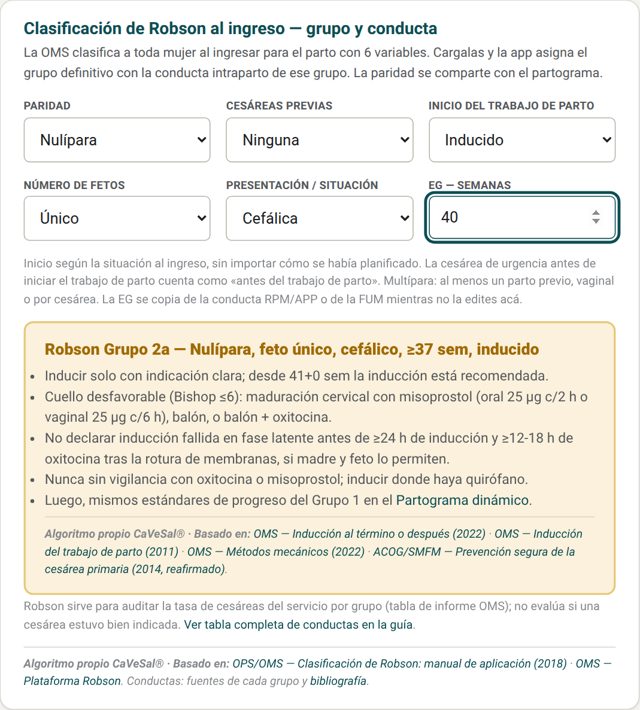
At admission for birth, enter the 6 WHO variables: parity, previous cesareans, onset of labor, number of fetuses, presentation and GA. The app assigns the final group (with subgroups 2a/2b, 4a/4b and 5.1/5.2) and shows the intrapartum management for that group with its sources.
Parity is shared with the partograph, and GA is copied from the PROM/preterm labor card or from the LMP. The links in each group open the related cards (partograph, third stage, magnesium sulfate, tocolysis, signs of uterine rupture in Code Red) and the full table in the guide.
Dynamic Robson
Before Robson at admission is the card Dynamic Robson — probable group during pregnancy, the same logic as the Prenatal Calculator. With parity, previous cesareans, number of fetuses, presentation and gestational age calculated from the LMP, it shows the probable group and the plan for that patient. They are separate cards so the probable group is not confused with the final group; parity and cesareans are copied automatically to Robson at admission.
Bishop score
Below Robson is the Bishop score card. Enter dilation, effacement, station, consistency and cervical position: the app adds the score (0 to 13) and classifies it as favorable (more than 8), intermediate (7–8) or unfavorable (6 or less, cervical ripening), per ACOG PB 107 and NICE NG207. With the first three items it already shows the simplified Bishop (more than 5, favorable).
Using parity from Robson it shows how far to continue ripening (8 or more in nulliparas, 6 or more in multiparas, CMQCC). In groups 2a and 4a the result appears within the Robson management, and the PROM assistant shows it when asking about cervical conditions.
Tocolysis and partograph
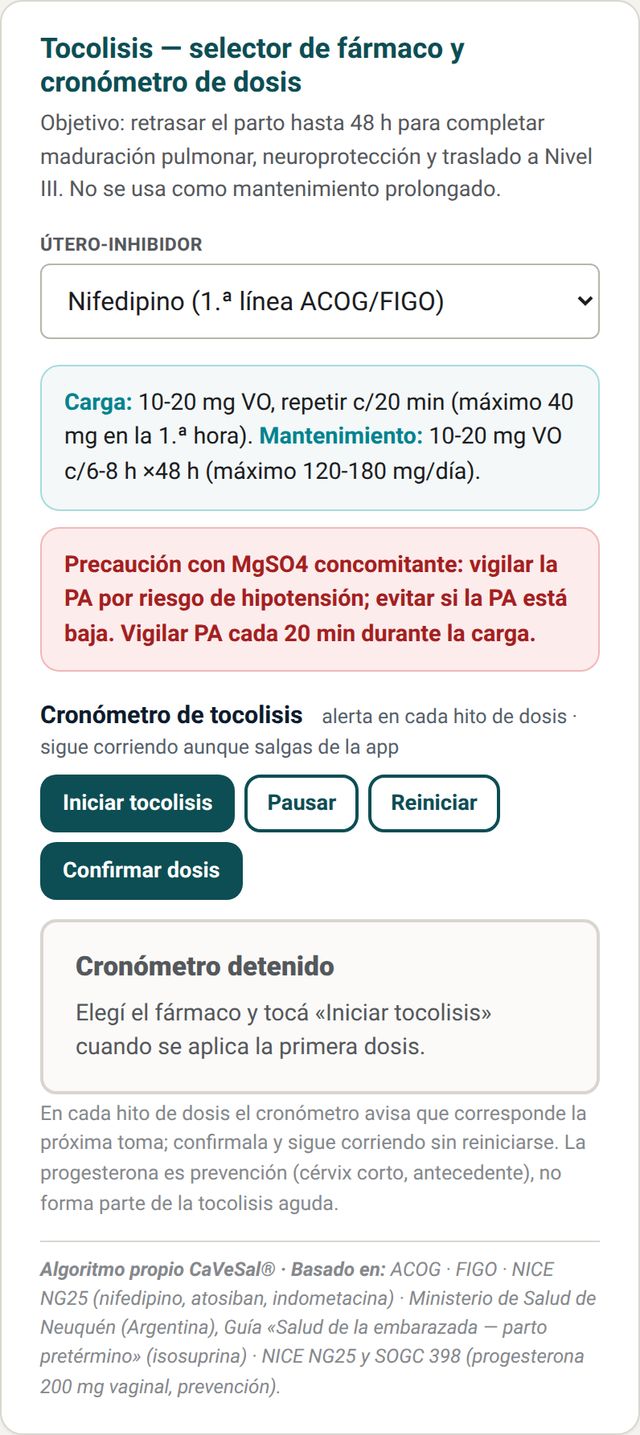
Tocolysis: drug selector with loading and maintenance doses, and a timer that alerts you at each dose.
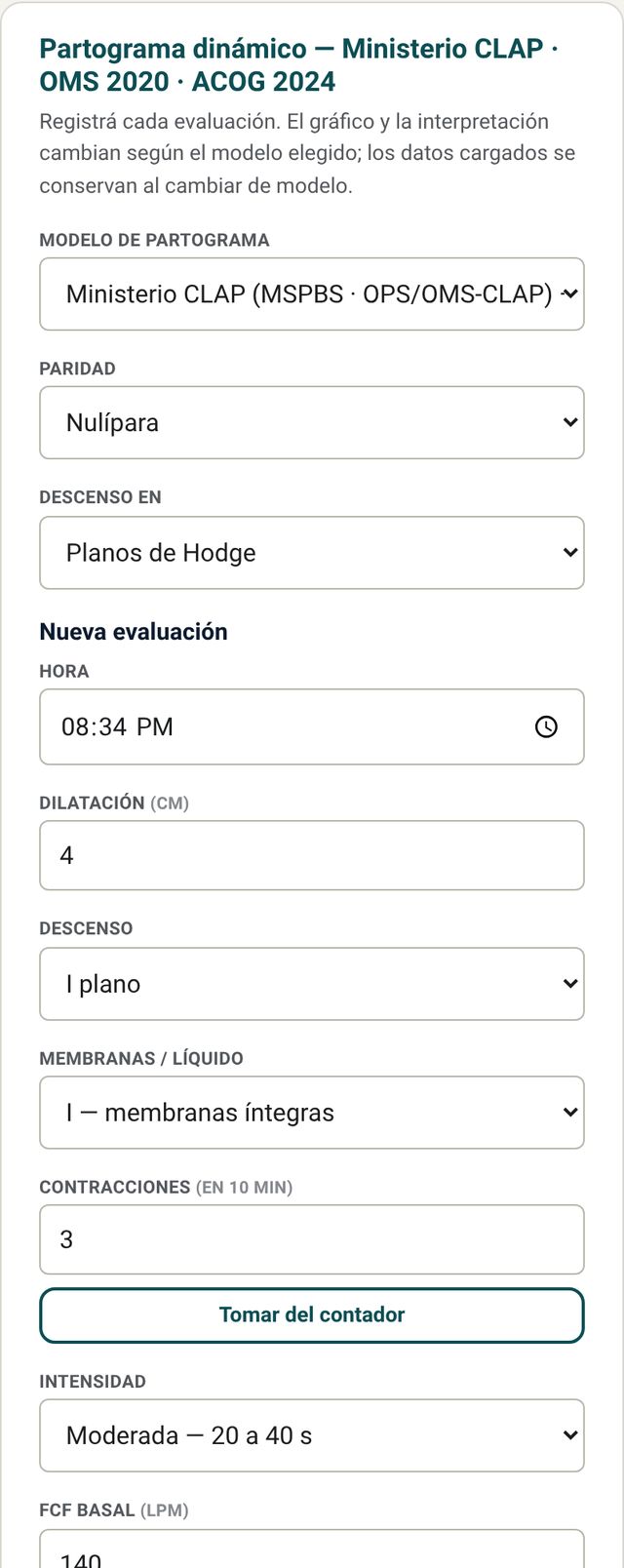
Dynamic partograph: three models (Ministry/CLAP, WHO 2020 and ACOG 2024). You record each assessment; the graph and interpretation change with the model, and data are kept when you switch models. In Próximo control en (Next check in) you choose how often to check (1 hour, 30 minutes, 15 minutes or another value): for example, every hour at first and every 30 minutes later. The reminder shows “ahora” (now) when it is due, but you can record a check earlier, at any time. If you enter a check with a time earlier than the last one (one you had not recorded), it is placed correctly on the graph.
Magnesium sulfate
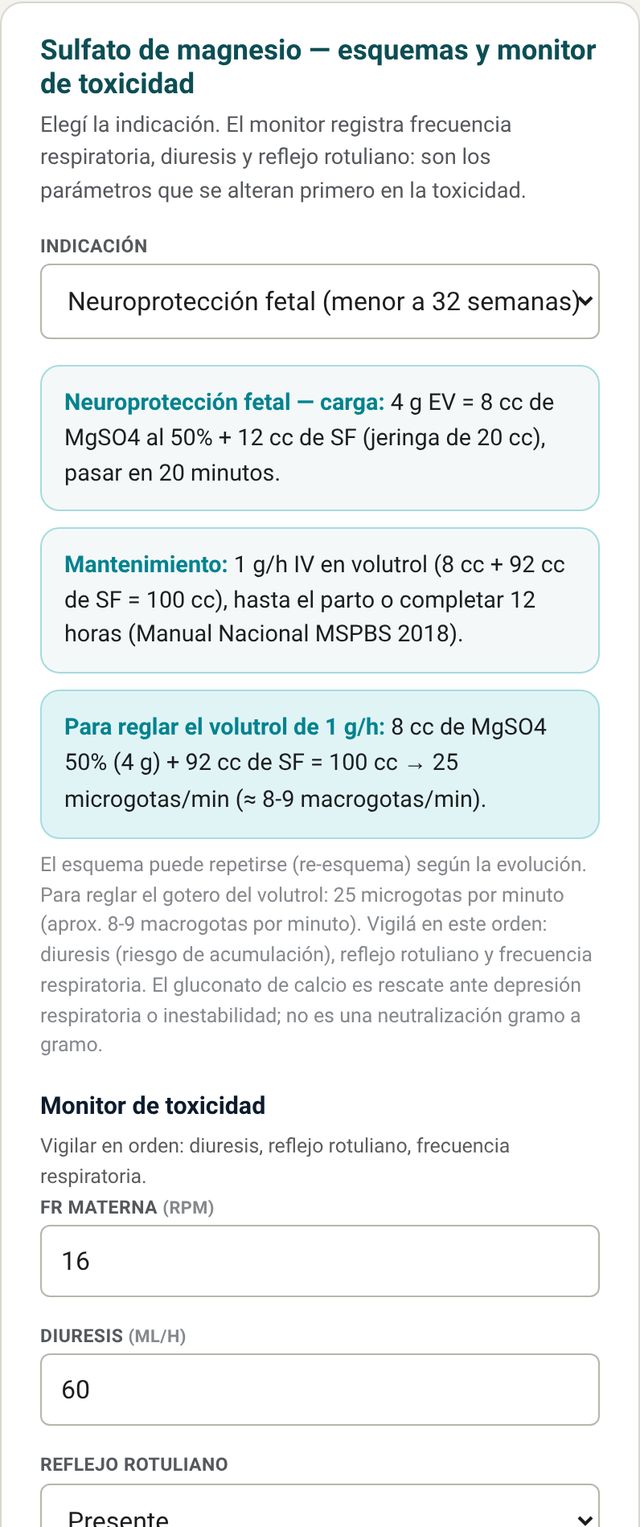
Choose the indication (for example, fetal neuroprotection before 32 weeks or eclampsia prevention) and the app builds the loading dose, maintenance and drip. The toxicity monitor records respiratory rate, urine output and patellar reflex, and indicates whether stopping criteria are met.
Result Also in the demo
The fourth tab brings together the diagnosis and management of everything you calculated in Codes and in Labor and postpartum.
How to read it
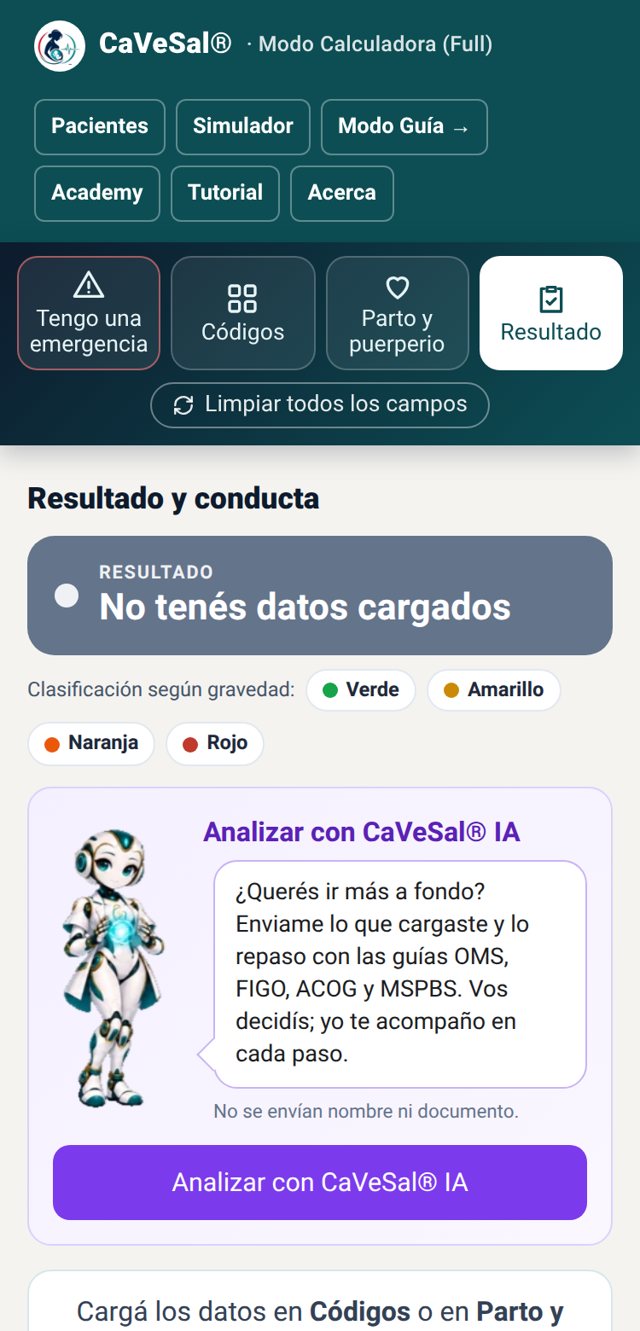
- No data: it says “No data entered” and tells you to enter data in Codes or Labor and postpartum and press Calculate. No color is shown.
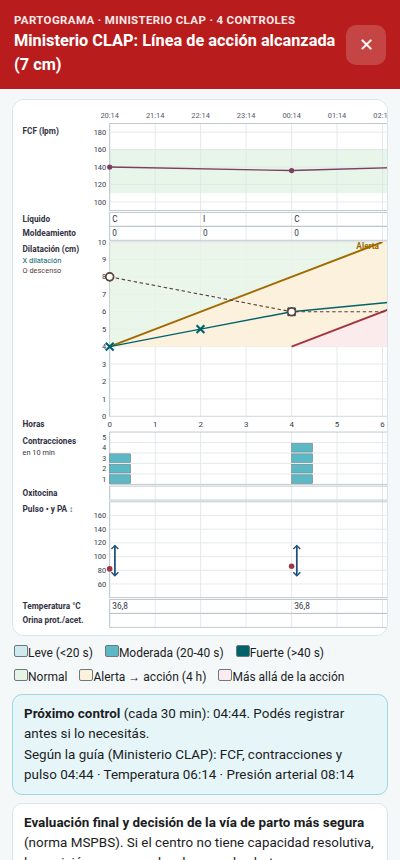
- Partograph: if you entered checks and press Calculate from Labor and postpartum, the partograph opens full screen: the diagnosis with its color at the top, the graph with the alert and action lines, the next check and the progress table with time, dilation, descent, FHR, contractions and progress in cm/h. “Registrar nuevo control” (Record new check) takes you back to the card with the current time; with the phone in landscape you see the whole graph. Result also has the button “Ver en pantalla completa” (View full screen).
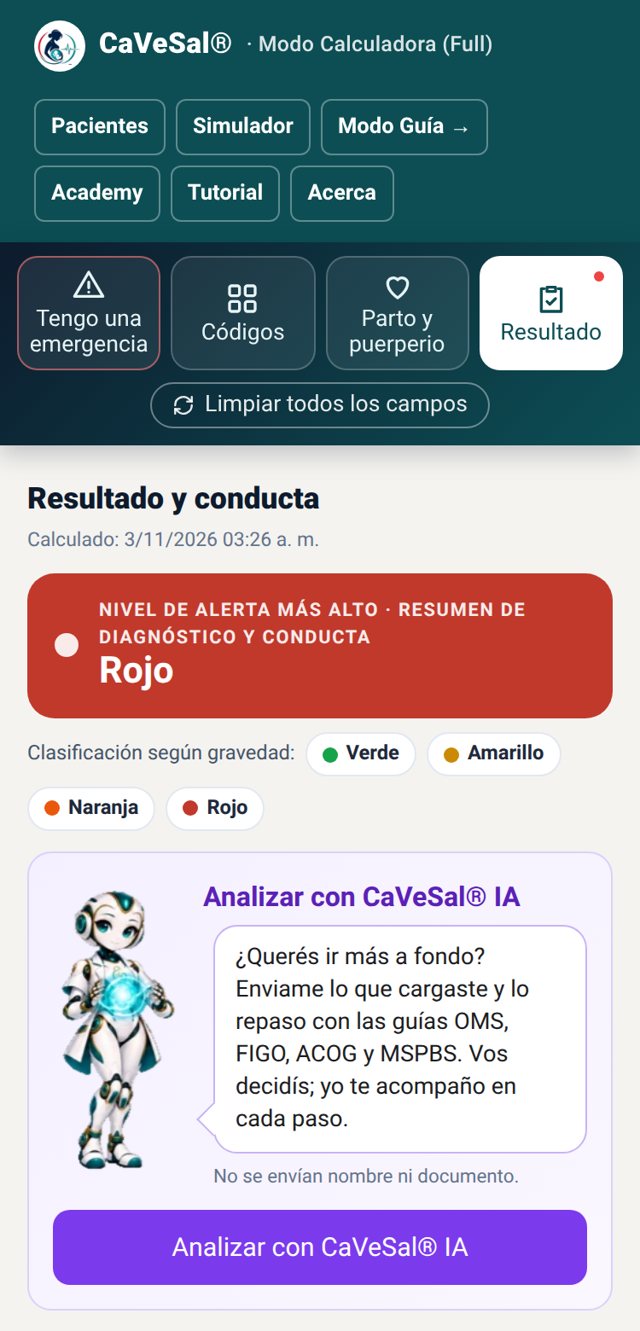
- Classification by severity: Green, Yellow, Orange and Red. The highest level of everything calculated appears at the top.
- Only what you entered counts: a scale you did not touch does not add to the result, even if its card shows a default value.
- Below, each finding with its management, grouped by code or by labor card.
- Analyze with CaVeSal® IA: the little robot invites you to send the case for a second reading against the guidelines. Name and ID are not sent.
Save and export Full version
If you chose a patient, the Result shows her with the Save to her record button. You can also save the case as a file, open a saved one, or export the result to PDF or Word. In the demo the Result is visible, but without saving or exporting.
Patients Full version
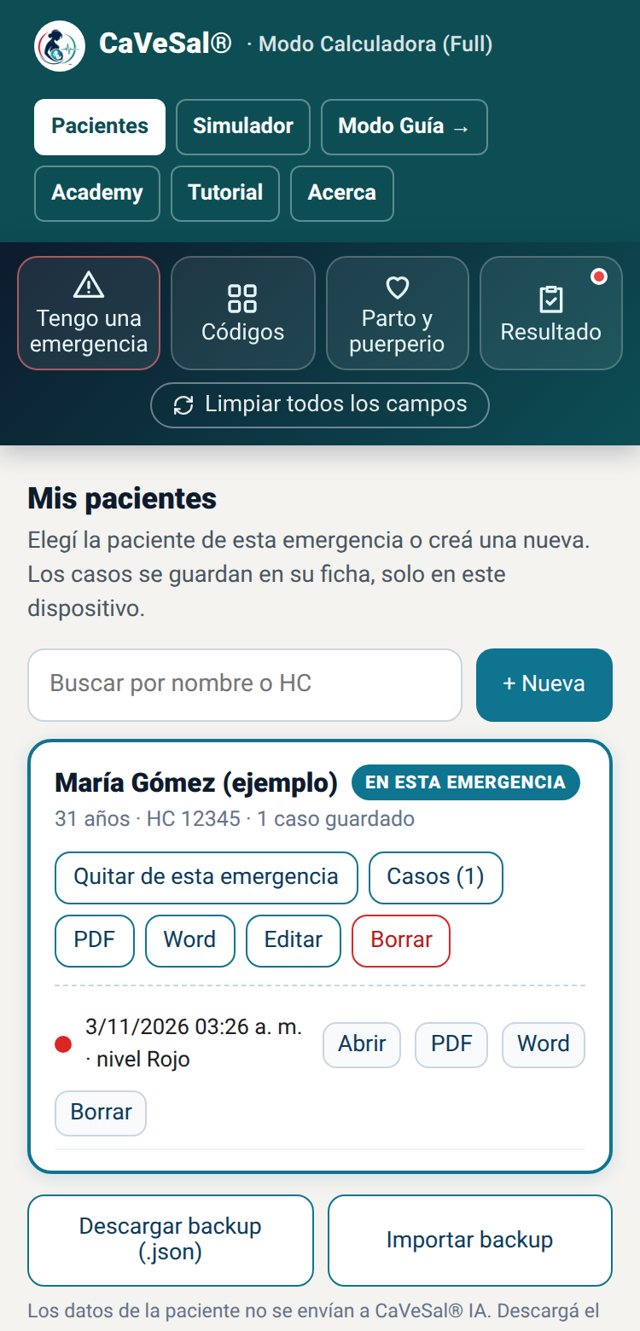
Open it from the Patients button at the top. Data stays only on your device and is not sent to CaVeSal® IA.
Records, cases and export
Tap + New, enter name, age, record number or ID and notes, and tap Save and use in this emergency. You can also search for an existing patient and tap Use in this emergency.
Enter the emergency data, press Calculate and, in Result, tap Save to her record.
In the record, Cases lists each saved emergency with its date and level. Each case can be Opened (reloads the data and shows the Result), exported to PDF or Word, or deleted.
The record's PDF and Word buttons export the patient summary: her data and all her cases, latest first. If she has no saved cases yet, the app lets you know.
Download backup (.json) saves all your patients to a file; Import backup adds them on another device without deleting the ones you already have.
Hands-free voice mode Full version
For when your hands are busy: the app reads each step aloud and moves on when the team confirms.
How it works
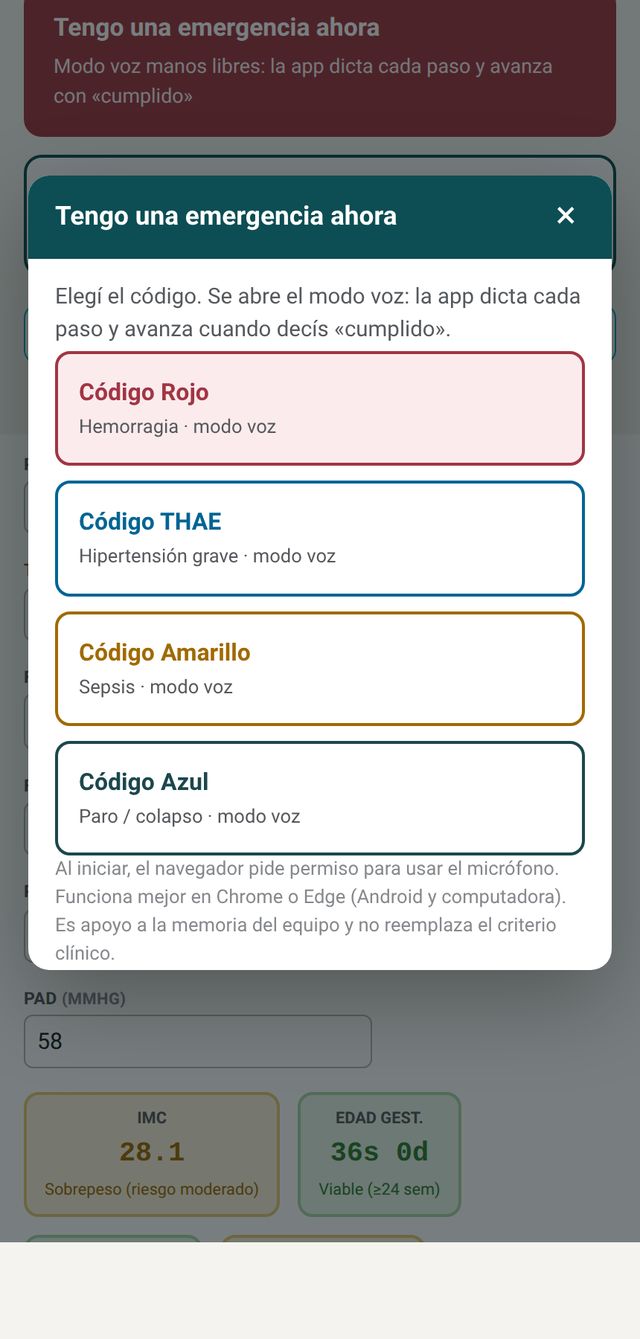
Tap Tengo una emergencia ahora (I have an emergency now) and choose the code: Red (hemorrhage), HDP (severe hypertension), Yellow (sepsis) or Blue (arrest and collapse).
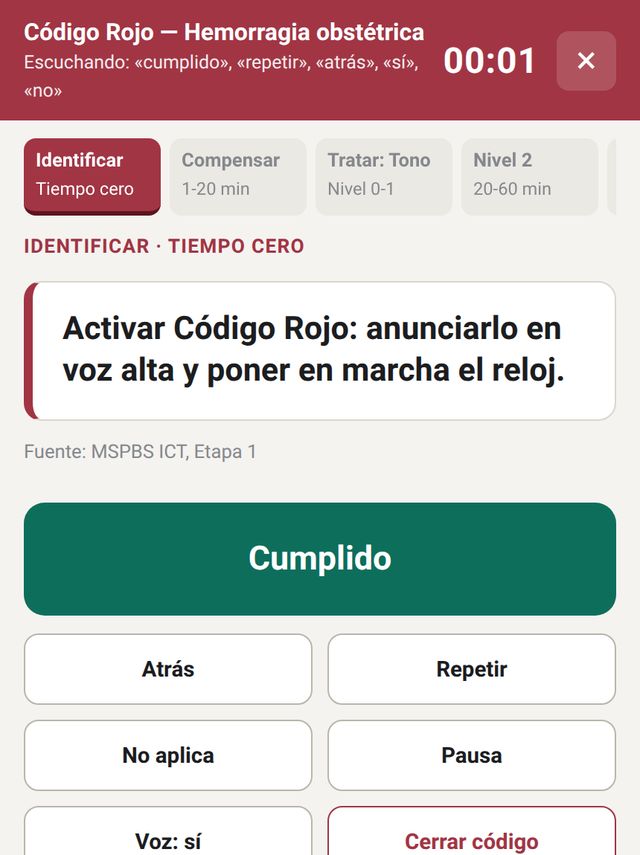
Allow microphone access. The clock starts at minute zero and the code phases are shown at the top.
Say «cumplido» (done) to move on, «repetir» (repeat), «atrás» (back), «sí» (yes) or «no» (no). You can also use the on-screen buttons.
When the code is closed, a time-stamped log of each step remains.
Guide Mode and bibliography Full version
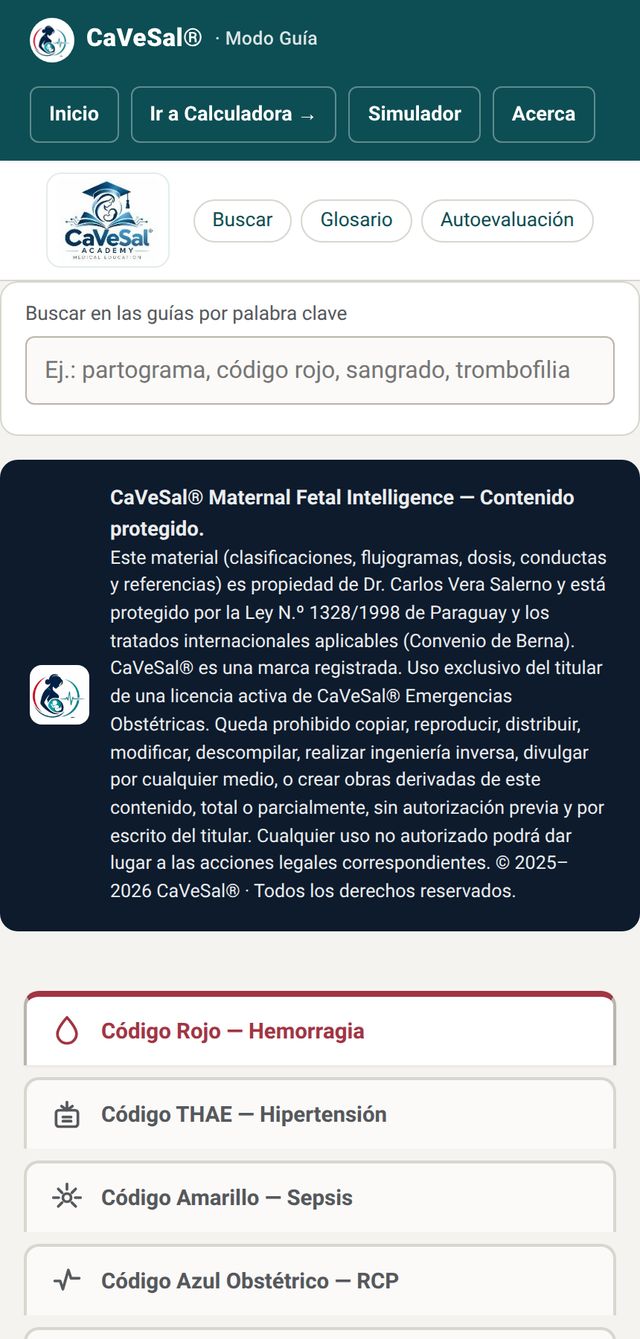
The quick-access guide for an obstetric emergency: definitions, classifications, flowcharts, doses and techniques for each code, with each guideline's variants and its reference.
How to search
Use the keyword search (for example: partograph, code red, bleeding, thromboprophylaxis), the glossary or the self-assessment. Each code has its own expandable guide. The full bibliography, with links to the sources, is on the bibliography page. The guide is also available in English and Portuguese.
Simulator Also in the demo
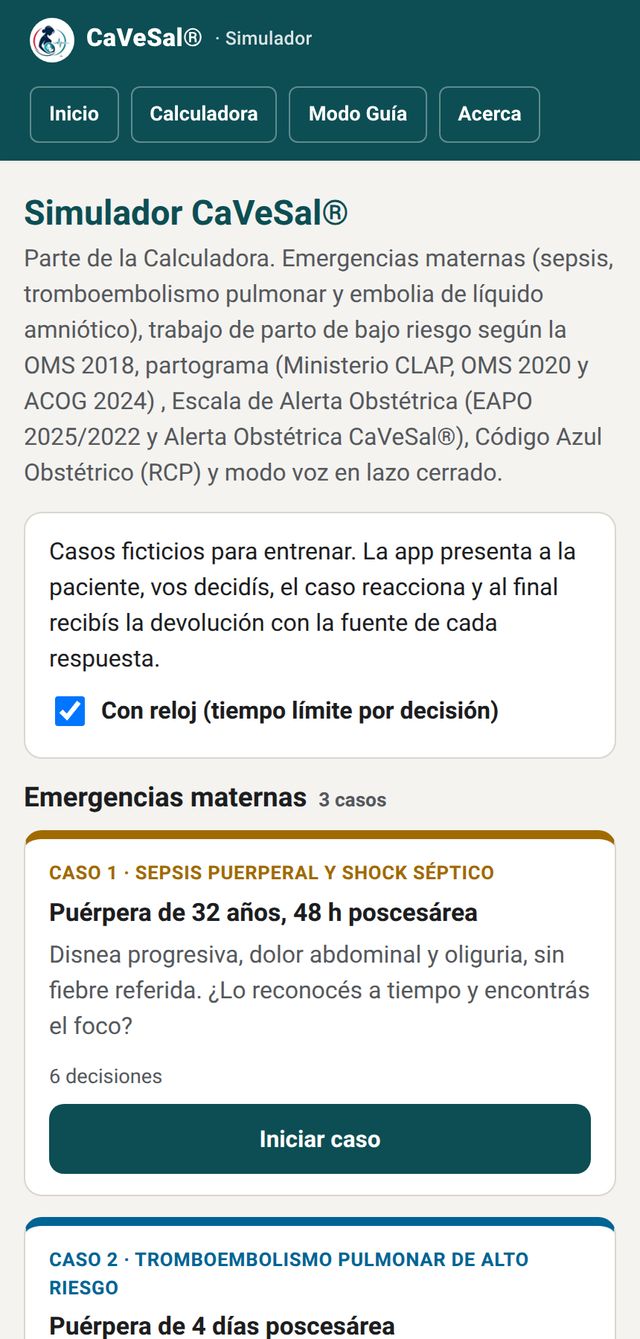
Twelve fictional cases to train the team: maternal emergencies, Alert Scale, labor with partographs, Obstetric Code Blue (CPR) and voice mode.
How to play
The app presents the patient, you decide and the case reacts, with a vital-signs monitor. At the end you get feedback with the source of each answer. You can turn on the clock to practice with a time limit per decision.
About and legal notice
Clinical author, clinical bases, the CaVeSal® ecosystem with the QR code of each app, and links to prices, terms and privacy.
Legal notice
CaVeSal® is a clinical decision-support tool for health professionals. It does not diagnose, does not replace the treating physician's clinical judgment or individualized assessment, and is not a medical device. Clinical decisions are the sole responsibility of the professional.
CaVeSal® implements proprietary algorithms, developed from the references cited on each card. The mention of guidelines, societies and institutions (MSPBS, WHO, FIGO, NICE, RCOG, ACOG, SMFM, Surviving Sepsis Campaign, AHA, among others) is for bibliographic attribution; none of them sponsors, endorses or certifies CaVeSal®.

Questions about a module? Write to us at drverasalerno@gmail.com · Dr. Carlos Vera Salerno · CaVeSal® · Last updated: October 2026